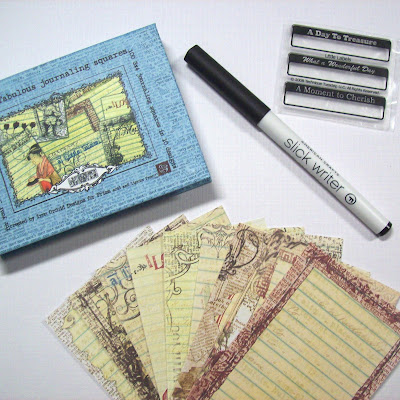
In an effort to increase my blog traffic and get my "name" out there in the blogger world, I am offering my very first RAK ever!
These are items I currently have, but will purchase new ones for this RAK.
I have been using google reader for some time now, but
tigardlilly (who also has a RAK going on, check it out) showed on her blog how to put my blog list as a feed on my blog. So now, you can see all the blogs I have on my reader, which I check multiple times a day! If you haven't done this yet, you need to, it is awesome! If you subscribe to my blog , I will throw in a bottle of Stickles-whatever color you want as an extra bonus, I am the Stickles Queen ya know. You will need to sign up with Google Reader or similar site and let me know you added me to your subscribed sites.
All you need to do is leave me a comment. I will do a random drawing on Thursday May 29 at 5 pm. Thanks for checking out my blog!
***Many of you are having trouble figuring out how to subscribe to blogs. For those of you wondering, here are instructions to getting Google Reader and adding subscriptions. I had screen shots of all the steps, but I can't figure out how to save them to put them on here. Hopefully this will work good enough.
Step 1: go to Google.com and select Reader.
Step 2: If you already have a Google account, go to step 5; If not, set one up, it is free and you can use the email address you already have.
Step 3: If you need to set up an account, follow these instructions. Create your account.
Step 4: Once you have that set up and Google has verified your email address, you will get to the google account page. On the right side of the page, you will see a link for reader, click it.
Step 5: Once you are signed in to google reader, you should be on the welcome to google reader page and you will see a picture of a goofy looking man. Click the Get started by adding subscriptions button under the picture. At this point, you could go straight to adding subscriptions, or take the tour.
Step 6: Click the add subscriptions button on the right side of the page, highlighted in green.
Step 7: This will drop down for you, put the blog address you want in the box and hit add. There is your first subscription. It is as simple as that.
Step 8: Play around, discover what things you can do with reader. There is lots of information to find regarding reader, so you can learn all about it. No more bouncing around from blog to blog looking for updates. It will automatically update for you!








 Here is a close up of the "skittles". Thank you Tigardlilly for dying them for me!


 This is the cabinet on the left side of my table. It is pretty much the same, just moved all my altered projects to the basket to the right of my new filing cabinets, and it is less crowded inside. I love this cabinet, eventhough it is ugly!
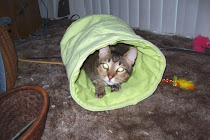
 Just for fun, here are the boys, cuddling up in a box!


 This had more Christmas decorations.


 Posts
Posts


